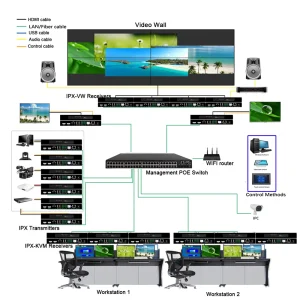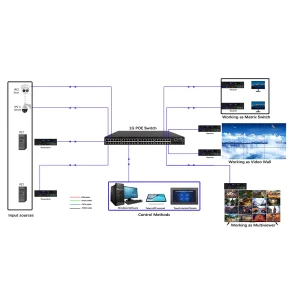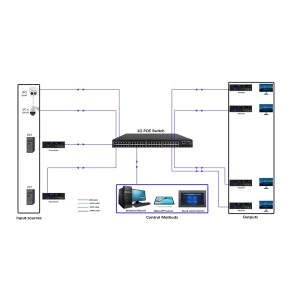

HDMI Matrix Switcher manual, Pro-AV signal routing, BeingHD HDMI switcher
-
Product Introduction
- Models: 4×4, 8×8, 16×16 HDMI Matrix Switchers (fixed and modular options)
- Key Features: Seamless switching (no black screen), EDID management, HDCP 2.2 compliance
- Use Cases: Huddle rooms, conference centers, home theaters, retail displays
-
Technical Specs
- Input/Output Ports: HDMI 2.0 (18Gbps), support for 4K@60Hz, 3D, HDR
- EDID: Built-in EDID emulation (10 preset modes) or custom EDID upload
- Switching Time: <200ms (seamless mode)
- Power: 100-240V AC, 50/60Hz (power consumption: 15-30W)
- Certifications: CE, FCC, RoHS
-
Step-by-Step Operation
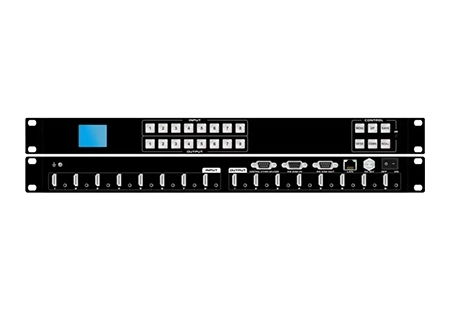
- Manual Control: Use front-panel buttons to select input (1-16) and output (1-16); LED indicators show active routes.
- Remote Control: Use included IR remote to switch sources/displays from a distance.
- RS232 Control: Send commands via serial port (command list included in appendix).
- Web UI: For network-enabled models—access via browser to configure routing, EDID, and firmware updates.
-
Signal Routing Best Practices
- Keep HDMI cables under 5m for 4K signals (use HDMI extenders for longer distances).
- Avoid routing HDMI cables near power cables to reduce interference.
- Use EDID emulation to ensure source devices output the correct resolution (select “4K@60Hz” for modern displays).
- For multi-display setups, use “clone mode” (same source to all displays) or “independent mode” (different sources to different displays).
-
Troubleshooting Guide
- Issue: Black screen on display → Check EDID settings; verify HDCP compliance (some sources block uncertified devices).
- Issue: Audio dropout → Ensure audio format is supported (Dolby Atmos requires compatible receivers); check cable connections.
Downloadable Resource:Link to RS232 command list, EDID configuration tool, and wiring diagrams.