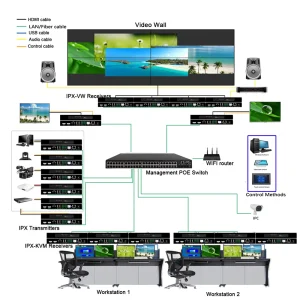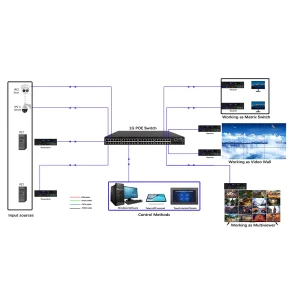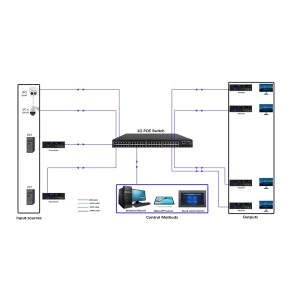

AV over IP configuration, HDMI over Ethernet setup, BeingHD AV over IP technical guide
-
System Overview
- Product Line: AV over IP Transmitters/Receivers, HDMI over IP Extenders, AV over IP Solutions
- Core Function: Transmit 4K video/audio/data over standard Ethernet (Cat5e/Cat6/Cat7) up to 100m (Cat6) or 1000m (with PoE switch)
- Application: Corporate offices, stadiums, retail chains, multi-site campuses
-
Technical Parameters
- Video Resolution: Up to 4K@60Hz (4:4:4), HDR10, 10-bit color depth
- Audio Support: Dolby Atmos, DTS-HD, 7.1 声道 surround sound
- Network Requirements: Gigabit Ethernet (1000Mbps), VLAN support recommended
- Latency: <50ms (low-latency mode for real-time applications)
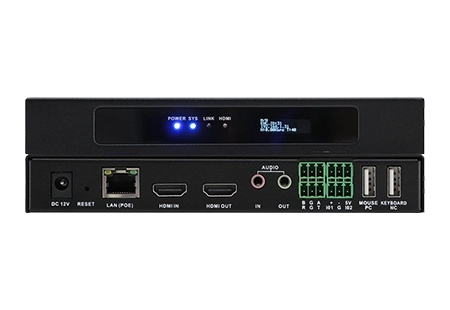
- Power: PoE (Power over Ethernet) or external 12V DC adapter
-
Configuration Steps
Step 1: Connect AV over IP Transmitter to source (laptop, camera) via HDMI; connect to Ethernet network.
Step 2: Connect AV over IP Receiver to display (TV, projector) via HDMI; connect to the same network.
Step 3: Power on all devices (PoE receivers draw power from Ethernet switch).
Step 4: Use the BeingHD Config Tool (free download) to assign IP addresses and pair transmitters/receivers.
Step 5: Test signal transmission—adjust network settings (QoS) if needed for optimal performance.
-
Compatibility Notes
- Works with standard Ethernet switches (managed/unmanaged); managed switches recommended for large-scale systems.
- Compatible with HDMI 2.0, DP 1.4, and USB-C sources (with adapters, sold separately).
- Supports integration with IP Matrix Switchers for multi-source/multi-display routing.
-
FAQs
- Q: Can I use existing Ethernet cables? → A: Yes, Cat5e/Cat6/Cat7 work; Cat6 is recommended for 4K@60Hz.
- Q: How many receivers can one transmitter support? → A: Up to 32 receivers (with a managed switch).
Downloadable Resource:Link to Config Tool, network topology diagrams, and compatibility list.