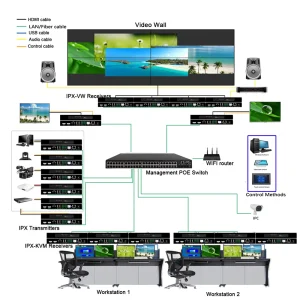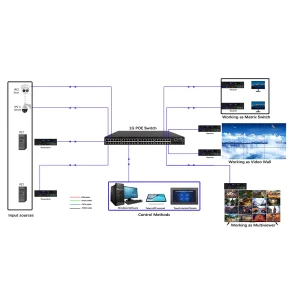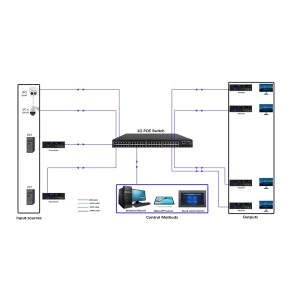

Modular Matrix Switcher specs, Pro-AV installation guide, BeingHD technical manual
-
Product Overview
- Purpose: Flexible signal routing for Pro-AV systems (conference rooms, command centers, video walls)
- Certification: ISO9001, CE, FCC
- Dimensions: 19-inch rack-mount (2U/4U options), 2600㎡ production line quality assurance
-
Key Technical Specifications
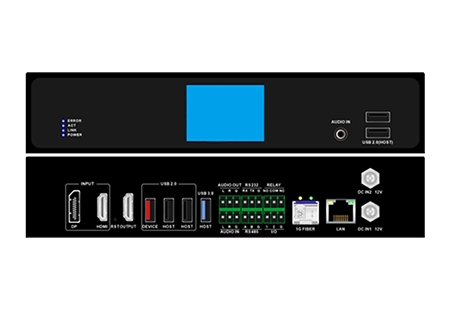
- Input/Output Modules: Hot-swappable (HDMI, DP, DVI, AV over IP options)
- Signal Support: 4K@60Hz, HDR10, 18Gbps bandwidth (HDMI 2.0), HDCP 2.2 compliant
- Latency: <1ms (real-time switching)
- Power Supply: Redundant 100-240V AC, 50/60Hz
- Operating Temperature: 0℃~45℃ (storage: -20℃~60℃)
-
Installation Steps
Step 1: Unpack the switcher and verify all modules (input/output, power) are intact.
Step 2: Mount the 2U/4U unit in a standard rack (use included hardware).
Step 3: Insert hot-swappable modules into the chassis (align pins, press until locked).
Step 4: Connect input sources (laptops, cameras) and output displays via HDMI/DP cables.
Step 5: Connect power supply and turn on the unit (LED indicators confirm power/module status).
-
Basic Operation
- Front Panel: Manual input/output selection via buttons; LCD screen for status monitoring.
- Remote Control: IR remote for quick switching (included).
- RS232/IP Control: For integration with third-party control systems (Crestron, AMX—protocol documentation available upon request).
-
Troubleshooting
- Issue: No signal output → Check cable connections; verify module is fully inserted; confirm source/display compatibility.
- Issue: Module not recognized → Power cycle the unit; check for firmware updates (contact 24/7 tech support for files).
Downloadable Resource:Link to PDF with wiring diagrams and full firmware update guide.